Insight
Moving off Banner, SITS or Quercus:
what a SIS migration involves
Leaving a legacy student information system is a known shape of project, not a leap into the dark. Here is what colleges should expect through discovery, data grading, parallel run and cutover, whether you run Banner, SITS, Quercus or Colleague.

SIS migration · Banner · SITS · Quercus
Platforms we run and connect for colleges



Discovery, data grading, parallel run and cutover:
the stages every SIS migration goes through
Why colleges look at a move
Most conversations start with one of a handful of pressures. None of them is a criticism of Banner, SITS, Quercus or Colleague; they are the questions any college asks when a long contract comes up for renewal.
- Cost: licence, hosting and change requests adding up faster than a smaller college can justify
- Fit: Irish fee structures, QQI returns, instalment plans and sponsor billing handled through workarounds
- Distance: a large supplier, a ticket queue and a release cycle that does not move with the academic year
- Integration: Moodle, CRM, timetabling and finance each holding their own copy of the student
- Reporting: management asking questions that need a developer or an export to Excel
How a SIS migration actually works
Every move from Banner, SITS, Quercus or Colleague follows the same shape. Your current system stays the source of truth until cutover, and the numbers are proved before anyone switches off the old login.
- Discovery: export assessment, data grades, fixed price and a go-live window timed to your academic calendar
- Data grading: students, programmes, enrolments, results and fees mapped with every transformation logged
- Parallel run: reconciliation reports your registry and finance teams can check side by side
- Cutover: timed between intakes, with a written rollback plan
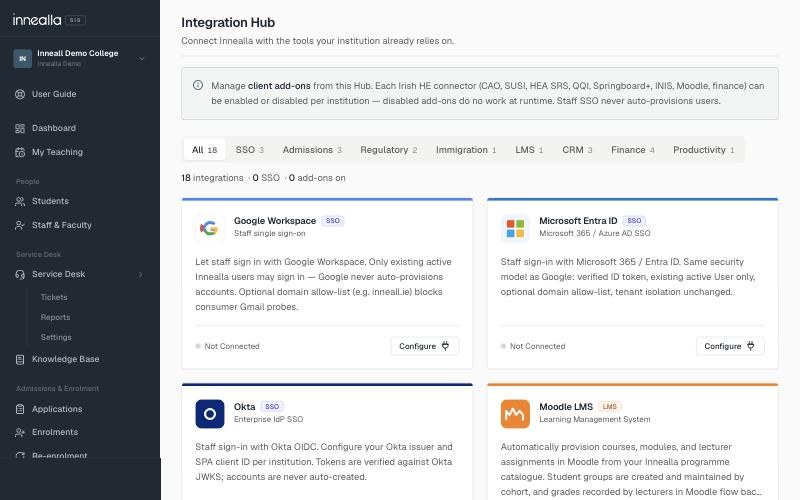
- Day one: Moodle, CRM, finance and identity reconnected through the Integration Hub
Discovery and data grading
The first two weeks are where risk is reduced. We grade the export before anyone commits to a price or a go-live date.
- Export assessment from Banner, SITS, Quercus or Colleague
- Data grades for students, programmes, modules, enrolments, results and fees
- A fixed migration price and a go-live window before you commit
- Clear list of what will migrate cleanly and what needs a decision
- Rollback plan written before parallel run starts
Who this kind of migration suits
A move is usually the right shape of project when the student operation is a few hundred to several thousand students and the college wants a system that fits Ireland and the UK, with Moodle and CRM connected from day one.
- Private and professional colleges leaving a large enterprise SIS
- Institutions renewing Banner, SITS, Quercus or Colleague contracts
- Groups that want one platform with a separate instance per campus or brand
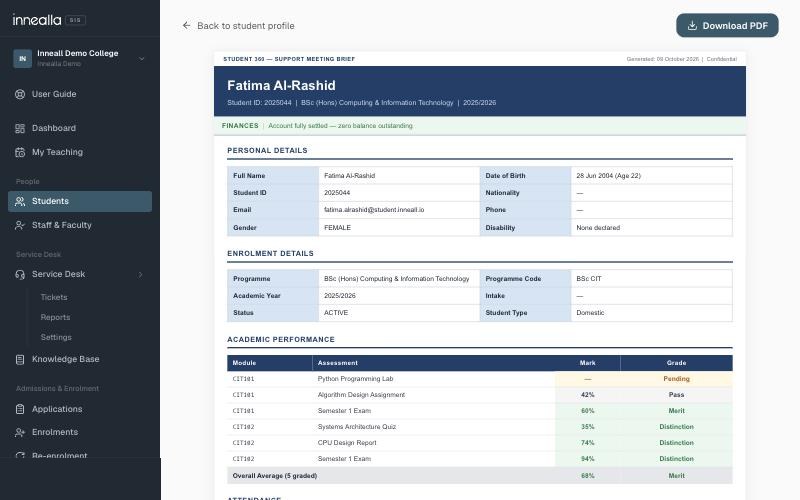
- Colleges already on Moodle or Salesforce who want the student record connected

Parallel run, then cutover
Registry and finance check the numbers side by side before the old login is switched off. Cutover is timed between intakes, and the connectors that keep Moodle and CRM in step are part of day one, not a later project.
- Reconciliation reports your teams can sign off
- Cutover window agreed in discovery, usually between intakes
- Written rollback plan if something does not match
- Moodle enrolments and CRM applications reconnected through the Integration Hub
- Finance, identity and messaging brought across with the student record
What to do next
If you are weighing a move off Banner, SITS, Quercus or Colleague, start with discovery. You get a graded view of your data, a fixed price and a go-live window before anything is committed. Read how SIS migration works, or go straight to the pages for Banner, SITS and Quercus.
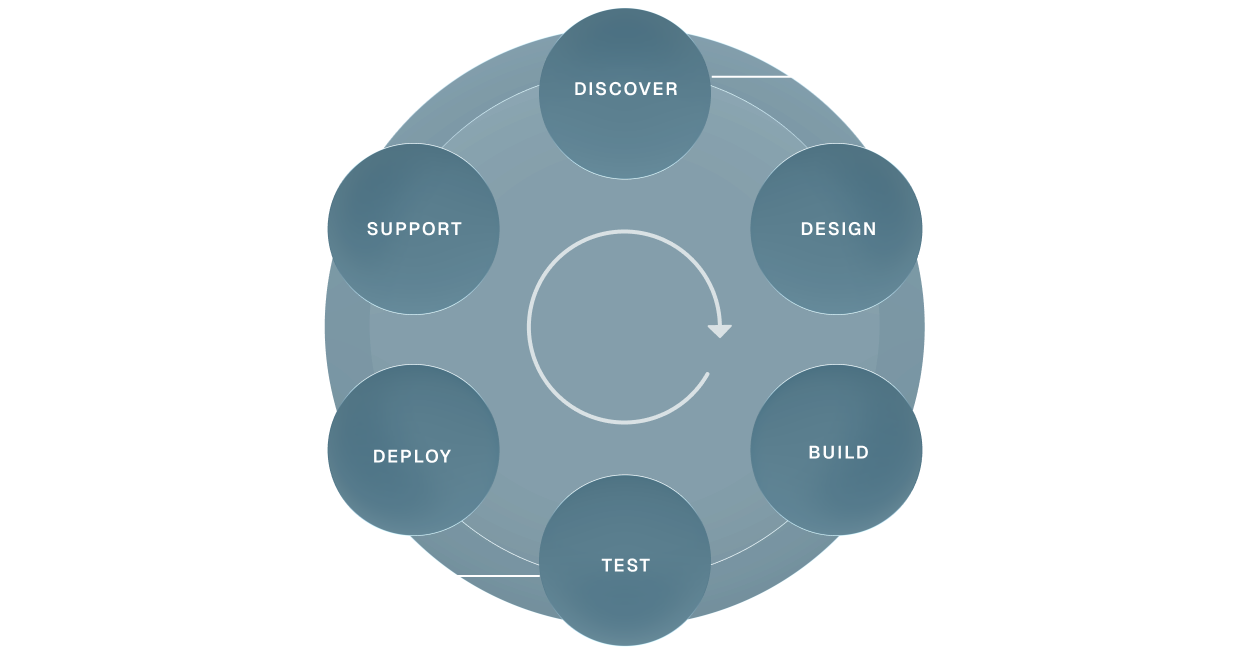
DISCOVER
Audit and workshops
Scope of work
Integration mapping
Risk and dependency analysis
Finalised project plan
Scope of work
Integration mapping
Risk and dependency analysis
Finalised project plan
DESIGN
User experience
Concept proposals
Stakeholder reviews
Design development
Final specifications
Approval to progress
Concept proposals
Stakeholder reviews
Design development
Final specifications
Approval to progress
BUILD
Software development
System integration
Customisations
Content and data migration
Front end interface
System integration
Customisations
Content and data migration
Front end interface
TEST
Functional and user acceptance testing
Browser/app performance testing
Accessibility
System and security
Browser/app performance testing
Accessibility
System and security
DEPLOY
Training
Final configuration and domain go-live
Hypercare in the first weeks
Bug-fix support
Handover to support
Final configuration and domain go-live
Hypercare in the first weeks
Bug-fix support
Handover to support
SUPPORT
Tailored service level agreements
Responsive support
Planned maintenance
Quality control
Performance tuning
Responsive support
Planned maintenance
Quality control
Performance tuning
We love API environments
and the challenge of integration
We’ve integrated systems others refused to touch!
“Inneall’s impact on our ability to deliver reliable, scalable technology has been absolutely enormous. What sets them apart is their deep knowledge of our business, they understand our systems, our teams, and our priorities. That means we’re not dealing with a technology supplier; we’re working with a partner who genuinely cares about getting it right.”

Edward Ormonde
Head of IT, Dublin Business School
Frequently Asked Questions
Which systems can you migrate from?
We regularly plan moves from Ellucian Banner, Tribal SITS, Quercus, Ellucian Colleague and spreadsheet-led operations. If yours is not on that list, discovery still grades the export and tells you what is possible.
How long does a migration take?
Most colleges are live in under two months after discovery, timed to the academic calendar. Complex multi-campus estates take longer; discovery sets the date before you commit.
What happens in discovery?
We assess the export, grade the data, agree a fixed migration price and a go-live window. You see what will migrate cleanly and what needs a decision before anything is committed.
Will Moodle and our CRM stay connected?
Yes. Enrolments, courses and CRM applications are reconnected through the Integration Hub as part of cutover, not as a later project.
What is the first step?
Talk to us, or start from the SIS migration page. A fixed-price discovery gives you a graded assessment of your data, a migration price and a go-live window.