Home  /  Solutions  /  Attendance and ILEP compliance

Attendance and ILEPCompliance

Attendance and ILEP compliance, without the spreadsheets.

Capture attendance for every class, apply the thresholds, issue the warning letters and produce the reports immigration authorities ask for, from one record, on its own or as part of Innealla.

Standalone or in InneallaFull audit trailConnected to Moodle

The problem

Every register, every letter, every report, from one attendance record.

RegistersThresholdsLettersReportsAlertsAudit

Attendance is captured once, against the timetable, and everything else follows: the student’s percentage, the threshold checks, the letters, the reports and the audit trail an inspection will ask for.

A student support team

Who it is for

Know about a disengaging student in week three, not at the exam board.

Any college whose international enrolments bring an attendance obligation with them.

  • Private and professional colleges recruiting non-EEA students
  • English language and further-education providers with monthly reporting duties
  • Colleges running attendance on paper registers, Excel or a module nobody trusts
  • Student support teams that want attendance, grades and fees in one early-alert view
Talk to us →

What it does

Captured once, against the timetable.

Everything else follows from one attendance record.

◔

Registers from the timetable

Lecturers mark attendance against the right class, room and cohort.

✓

Capture your way

Lecturer register, student tap-in or QR code, with Moodle activity as a supporting signal.

▤

Percentage attendance

Per student, module and period, with the threshold rules your college applies.

✉

Warning letters

Produced automatically at each stage and recorded on the student.

▢

Reports ready to send

The monthly and on-request reports required for international students.

◉

Early alerts

To student support when a student starts to slip, before the threshold is breached.

Early warning, not just reporting

The same data, looked at daily.

Compliance reporting tells you what happened last month. Daily, it tells you which students need a conversation this week.

Early warning

Risk flags from more than attendance.

Attendance, Moodle activity and fees together, not attendance alone.

  • Student support sees the flag, records the contact and the outcome on the student
  • Ask the AI brain in plain English: “Which first-years dropped below 85% this month?”
  • Trend reports by programme, intake and lecturer for management
  • Every flag, contact and letter is logged
The student engagement platform →

Connected to what you already run

Timetable, enrolments and the record, in step.

Attendance only works when the timetable, the enrolments and the student record agree. The Integration Hub keeps them in step.

How you buy it

A hosted subscription per college.

Banded by student numbers. Included in the Innealla core, and available on its own.

STANDALONE

On its own

Connected to your current SIS, timetable and Moodle through the Integration Hub.

Keep your student record system
PART OF INNEALLA

In Innealla

Attendance, timetable, fees and support notes on the one student record.

Included in the Innealla core
SET-UP

Fixed-price set-up

Import of your programmes, cohorts and timetable, with letters and reports configured to your wording.

Hosted in AWS Ireland
Hosted and supported by Inneall in AWS Ireland, under a data processing agreement.

Discuss pricing →
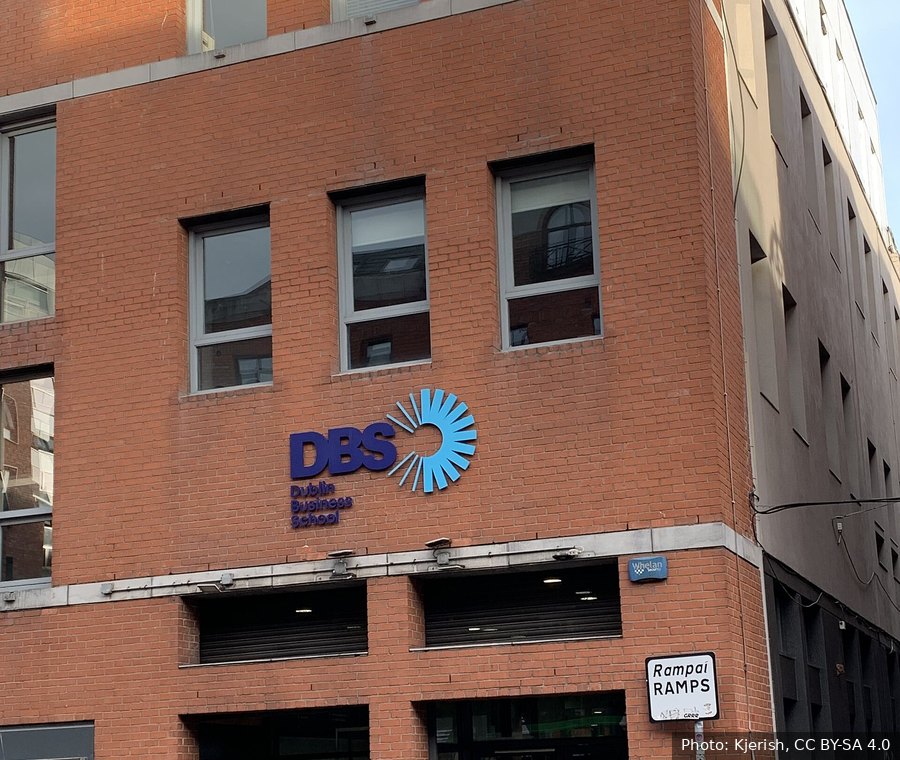
Dublin Business School

Running today

RFID attendance at Dublin Business School.

Attendance tied to timetables and records, across one estate.

  • RFID attendance tied to timetables and records
  • Multi-tenant Moodle estate
  • Student service desk on Salesforce, connected to student data
Read the case study →

FAQ

Common questions.

Something else? Talk to us and an engineer will answer.

Do we need Innealla to use it?

No. It is part of the Innealla core, and it also runs on its own, connected to your existing student record system, timetable and Moodle through the Integration Hub.

How is attendance captured?

By lecturer register against the timetabled class, by student tap-in or QR code at the door, or a mix. Moodle activity can be used as a supporting signal for engagement, but the compliance record is built from class attendance.

Can it produce the reports immigration authorities ask for?

Yes. Percentage attendance per student and period, the threshold breaches, the letters issued and the dates, in a report your compliance officer can send as it is. Templates are configured to your college’s wording and the format requested.

What happens when a student goes below the threshold?

The rules you set decide: a flag to student support, a warning letter at each stage, and a final notice, each recorded on the student with the date and the person who actioned it. Nothing is sent without the step you have configured.

How long does set-up take?

Usually a few weeks: import of programmes, cohorts and the timetable, configuration of thresholds and letters, and a short training session for lecturers and the compliance team. It is a fixed price agreed before we start.

Next step

Attendance and compliance, from one record.

See registers, thresholds, letters and reports working on your own timetable.

Integrators for specialised education and CRM platforms

  • Moodle
  • Salesforce
  • Zoho
  • HubSpot
  • Sitefinity
  • Celcat
  • Microsoft 365
  • AWS

Every register, every letter, every report,
from one attendance record
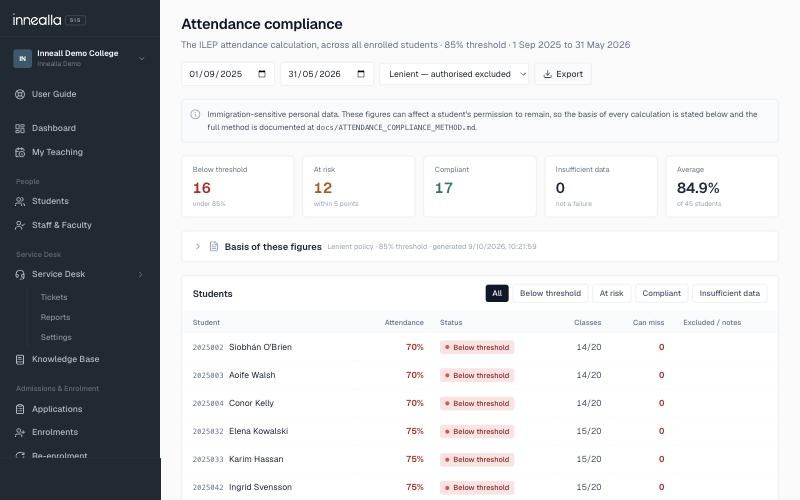
Innealla attendance compliance screen with the 85% ILEP threshold, students below threshold, at risk and compliant

What it does

Attendance is captured once, against the timetable, and everything else follows: the student's percentage, the threshold checks, the letters, the reports and the audit trail a visit or an inspection will ask for.

  • Registers generated from the timetable, so lecturers mark attendance against the right class, room and cohort
  • Capture by lecturer register, student tap-in or QR code, with Moodle activity as a supporting signal
  • Percentage attendance per student, module and period, with the threshold rules your college applies
  • Warning and non-attendance letters produced automatically at each stage and recorded on the student
  • The monthly and on-request reports required for international students, ready to send
  • Early alerts to student support when a student starts to slip, before the threshold is breached
  • A full audit trail: who marked what, when, and every change since
Book a demo

How you buy it

A hosted subscription per college, banded by student numbers. It is included in the Innealla core, and available on its own for colleges that keep their existing student record system.
  • Standalone: connected to your current SIS, timetable and Moodle through the Integration Hub
  • Part of Innealla: attendance, timetable, fees and support notes on the one student record
  • Set-up as a fixed price, including import of your programmes, cohorts and timetable
  • Letters and report templates configured to your college's wording
  • Hosted and supported by Inneall in AWS Ireland, under a data processing agreement
Discuss pricing
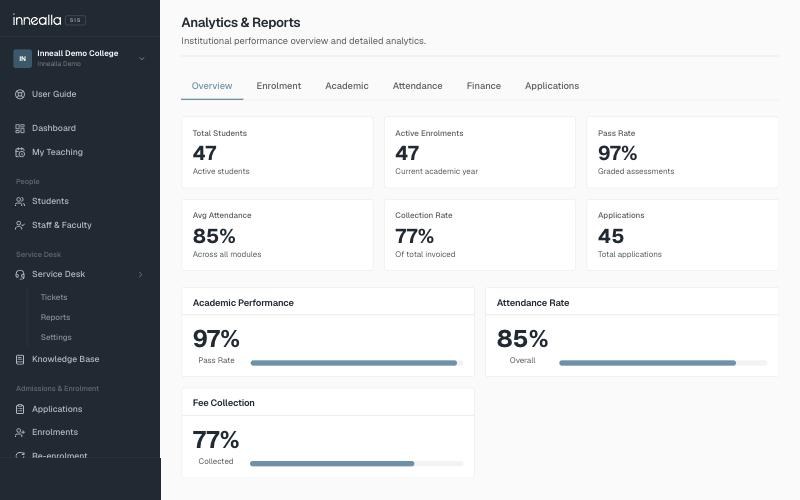
Innealla analytics showing attendance rate, pass rate and fee collection
Staff member using the Innealla student information system with its built-in AI assistant

Early warning, not just reporting

Compliance reporting tells you what happened last month. The same data, looked at daily, tells you which students need a conversation this week.

  • Risk flags from attendance, Moodle activity and fees together, not attendance alone
  • Student support sees the flag, records the contact and the outcome on the student
  • Ask the AI brain in plain English: “Which first-years dropped below 85% this month?”
  • Trend reports by programme, intake and lecturer for management
  • Every flag, contact and letter is logged, so the story is there if it is ever questioned
The student engagement platform

Who it is for

Any college whose international enrolments bring an attendance obligation with them, and any college that would rather know about a disengaging student in week three than at the exam board.

  • Private and professional colleges recruiting non-EEA students
  • English language and further-education providers with monthly reporting duties
  • Colleges running attendance on paper registers, Excel or a module nobody trusts
  • Student support teams that want attendance, grades and fees in one early-alert view
Talk to us
AI & Intelligent automation

Connected to what you already run

Attendance only works when the timetable, the enrolments and the student record agree. The Integration Hub keeps them in step.

  • Timetable from Innealla or an existing Celcat
  • Enrolments and cohorts from Innealla or your current SIS
  • Moodle activity as a supporting engagement signal
  • Letters sent by email and recorded on the student
  • Reports exported in the format the authority asks for
See our integrations

How we do things

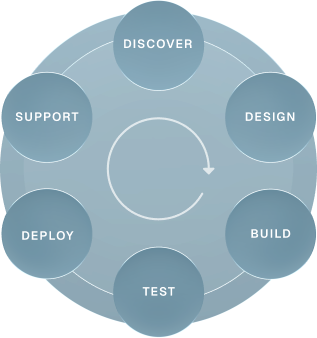
Partnership, transparency, user-centred design and long-term quality guide every project. Each one runs through the same six stages, so you always know where it stands and who is accountable.
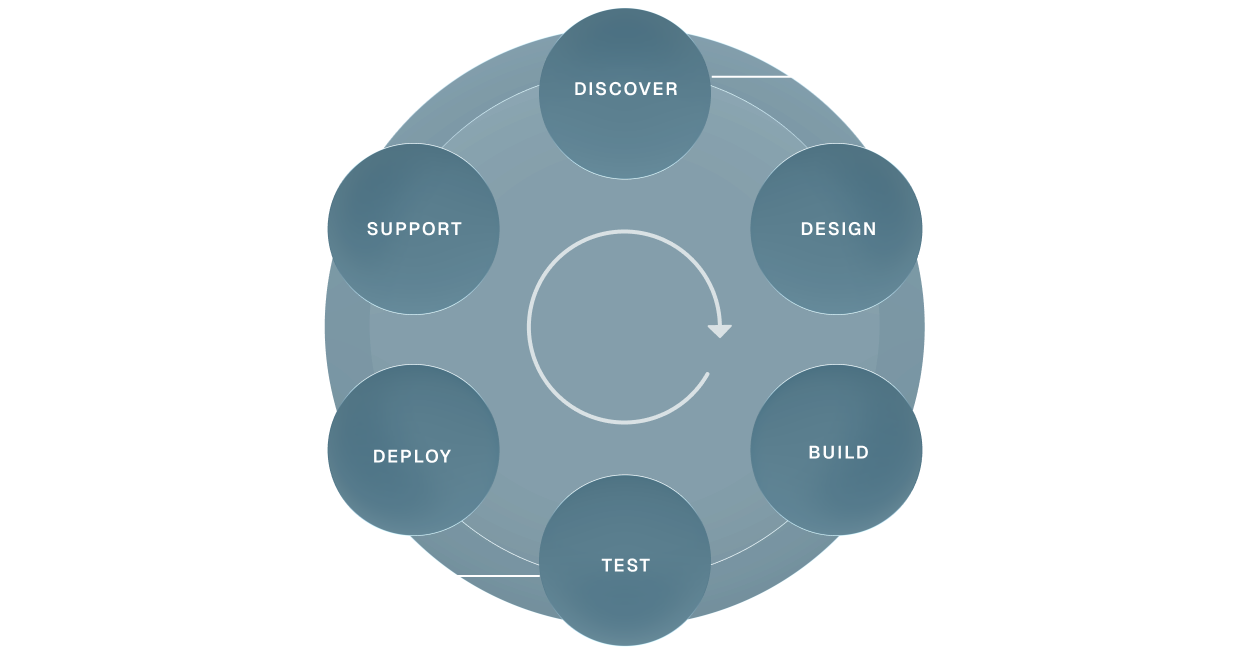
 how-we-do-thingshow-we-do-mobile
DISCOVER
Audit and workshops
Scope of work
Integration mapping
Risk and dependency analysis
Finalised project plan
DESIGN
User experience
Concept proposals
Stakeholder reviews
Design development
Final specifications
Approval to progress
BUILD
Software development
System integration
Customisations
Content and data migration
Front end interface
TEST
Functional and user acceptance testing
Browser/app performance testing
Accessibility
System and security
DEPLOY
Training
Final configuration and domain go-live
Hypercare in the first weeks
Bug-fix support
Handover to support
SUPPORT
Tailored service level agreements
Responsive support
Planned maintenance
Quality control
Performance tuning

Discover how we think,
deliver and make an impact

View more
Case Studies

A Technology Partnership at the Heart of DBS’s Digital Ambition

Read more
AI at Inneall

Lugh: the AI agent that answers our service desk first

Read more
AI at Inneall

The Ops Agent: how our servers are checked every morning before anyone logs in

Read more

We love API environments
and the challenge of integration

We’ve integrated systems others refused to touch!

“Inneall’s impact on our ability to deliver reliable, scalable technology has been absolutely enormous. What sets them apart is their deep knowledge of our business, they understand our systems, our teams, and our priorities. That means we’re not dealing with a technology supplier; we’re working with a partner who genuinely cares about getting it right.”

Edward Ormonde

Head of IT, Dublin Business School

Frequently Asked Questions

Do we need Innealla to use it?
No. It is part of the Innealla core, and it also runs on its own, connected to your existing student record system, timetable and Moodle through the Integration Hub.
How is attendance captured?
By lecturer register against the timetabled class, by student tap-in or QR code at the door, or a mix. Moodle activity can be used as a supporting signal for engagement, but the compliance record is built from class attendance.
Can it produce the reports immigration authorities ask for?
Yes. Percentage attendance per student and period, the threshold breaches, the letters issued and the dates, in a report your compliance officer can send as it is. Templates are configured to your college's wording and the format requested.
What happens when a student goes below the threshold?
The rules you set decide: a flag to student support, a warning letter at each stage, and a final notice, each recorded on the student with the date and the person who actioned it. Nothing is sent without the step you have configured.
How long does set-up take?
Usually a few weeks: import of programmes, cohorts and the timetable, configuration of thresholds and letters, and a short training session for lecturers and the compliance team. It is a fixed price agreed before we start.